Executive Summary
Sales managers had no reliable view of which customer accounts the sales team had actually called. Call data lived in the cloud phone system; account status lived in Dynamics 365; reconciliation between the two was manual, or more often skipped. I built a zero-touch pipeline that closes that gap: every night, the phone system's emailed call-detail report is parsed, matched against customer accounts, and turned into live CRM statuses — with a full audit trail landing in the managers' inboxes before the working day starts.
The Problem
The two systems that together answered the question “have we called this account?” had no connection to each other. The phone system knew every call that was dialled, but nothing about accounts. Dynamics 365 held the account list and a call-status field, but only knew what someone remembered to type into it.
Reconciling them meant a person reading a raw call report against a CRM view — across two regions, in three phone-number formats, against accounts that can hold a number in any of several different fields. In practice it didn't happen, and the account statuses managers planned around were stale.
The Solution
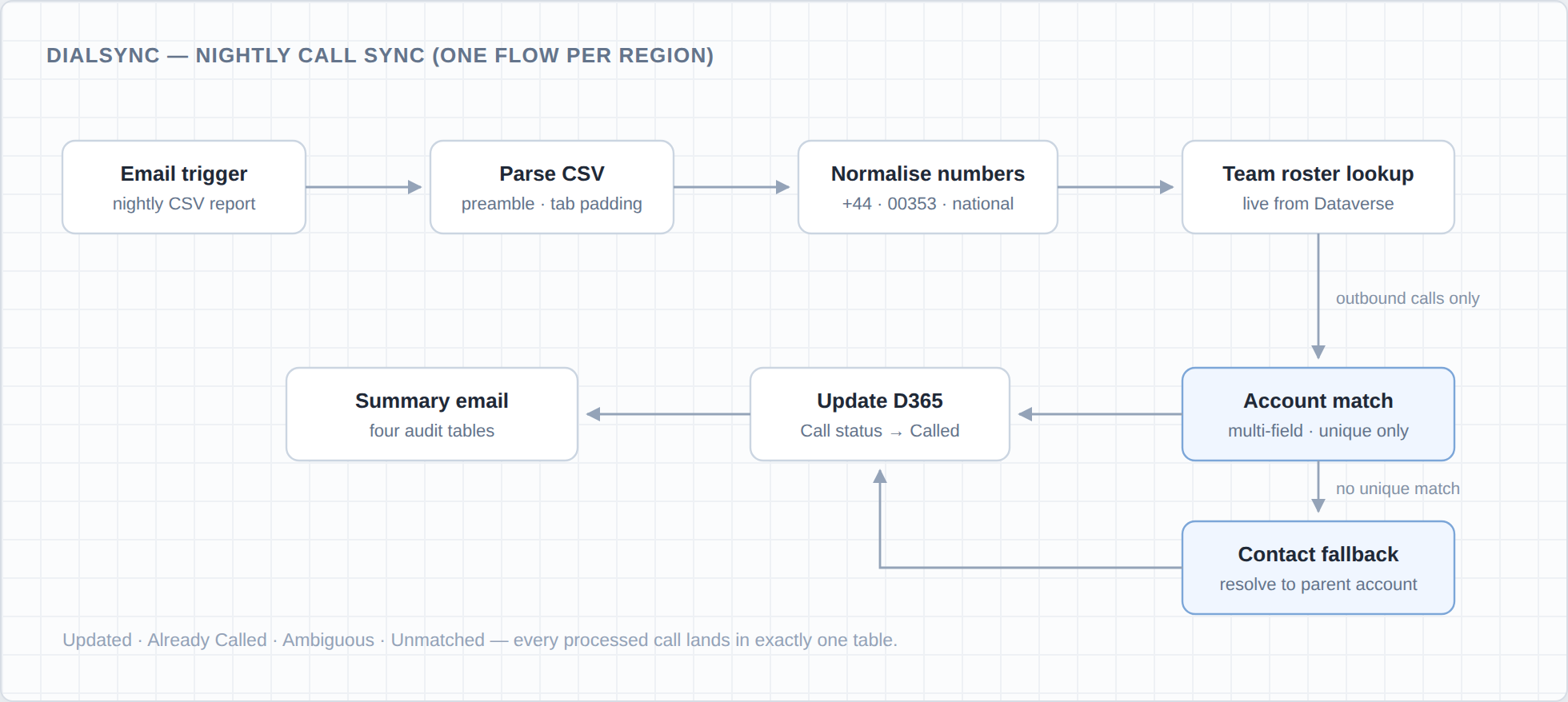
Two region-specific Power Automate flows — one for the UK, one for the Republic of Ireland — trigger on the nightly emailed call-detail CSV. Each run walks the same pipeline:
Parse the raw report. The CSV arrives with a preamble to skip and tab-padded fields to clean before a single row can be trusted.
Normalise every dialled number. UK, ROI and international formats (+44, 00353, national dialling) are collapsed into one canonical form so a number stored one way in the CRM still matches a call dialled another way.
Pull the roster live. The sales-team roster is read from Dataverse on every run — no hardcoded users, so team changes never require a flow change.
Match and update. Each outbound call is matched against customer accounts across multiple phone fields, with a contact-level fallback that resolves contacts to their parent account. The account's call status is set to “Called” on unique matches only; anything ambiguous is reported, never written.
Report everything. A manager summary email closes each run with four audit tables — Updated, Already Called, Ambiguous, Unmatched.
Architecture
The pipeline runs entirely on the nightly email as its trigger — no polling, no agents on the phone system. A Power Automate flow per region parses and normalises the report, reads the sales-team roster live from Dataverse, and runs the match engine: account phone fields first, then a contact-level fallback that resolves to the parent account. Unique matches are written back to the account's call status over the OData Web API; everything else is only reported. The flows themselves are build artefacts — a Python generator emits importable flow packages, versioned v1 through v9, so deployments update in place instead of being rebuilt by hand in the designer.
The write path is deliberately conservative: only a unique match may touch a record, updates go through the standard OData Web API, and the summary email is the contract — if a call was processed, it appears in exactly one of the four audit tables, so a manager can always trace why an account did or didn't change.
Engineering Highlights
- Importable flow packages generated programmatically in Python — versioned v1→v9, with pinned GUIDs so each release deploys as an update-in-place rather than a new flow to re-wire.
- Defensive expression engineering — guarded substring chains so withheld and anonymous numbers can't fail a run, and logic flattened to fit inside Power Automate's 8-level expression nesting limit.
- Careful matching semantics — duplicate suppression, same-parent contact heuristics, and customer-scope OData filters keep the match set honest before anything is written.
- Full observability — every processed call is accounted for in exactly one summary table, so a run can be audited from the email alone.
Screenshots
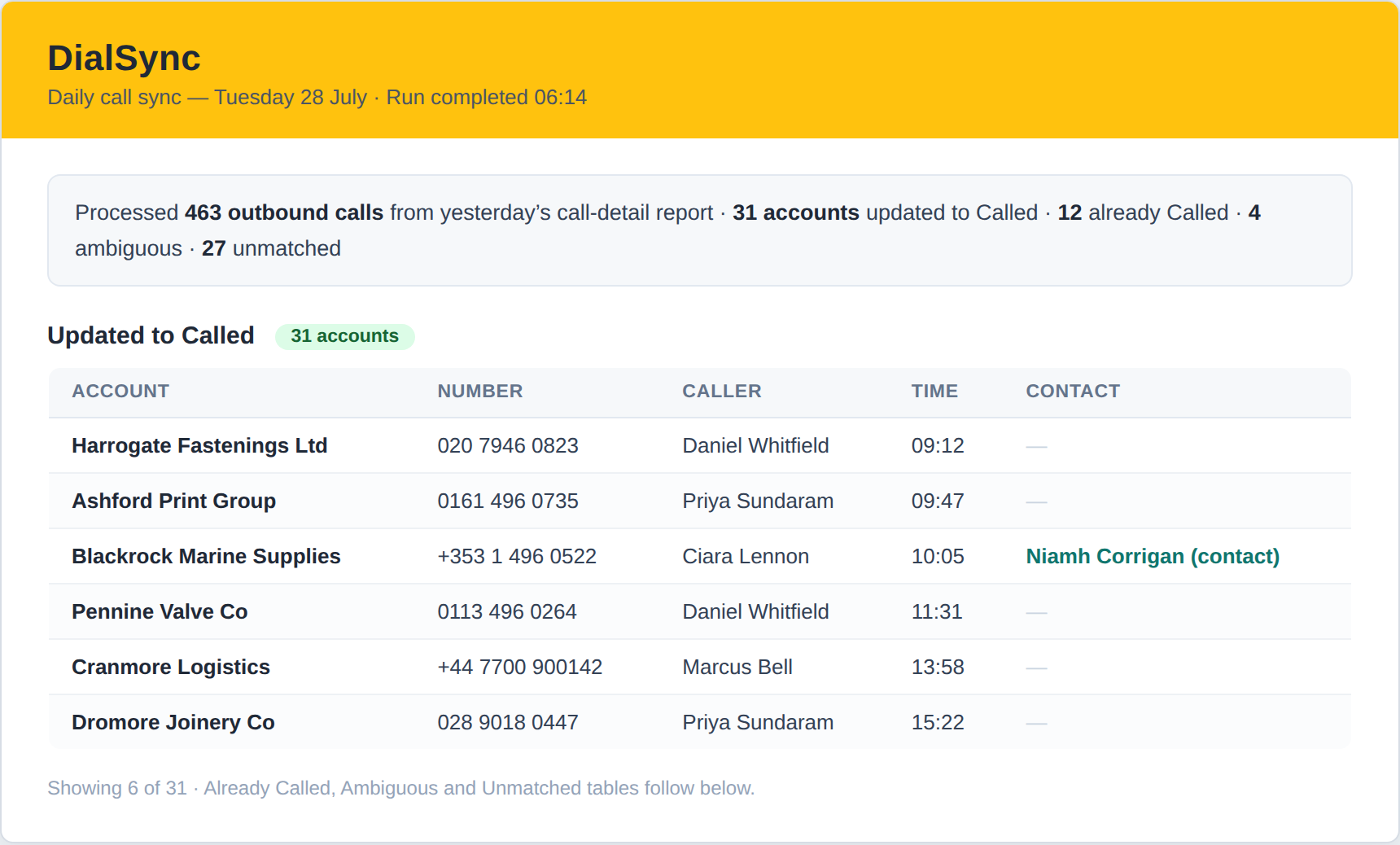
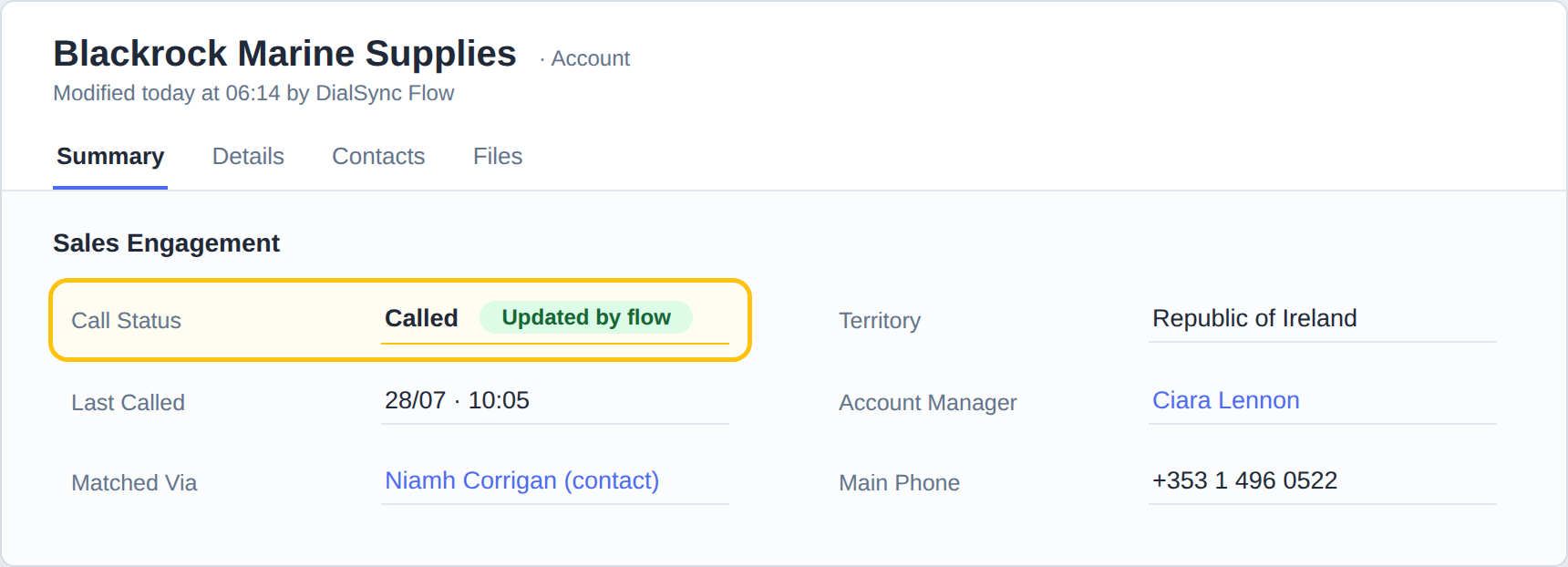
All screenshots are illustrative reconstructions — every company, person and phone number shown is fictitious.
Technologies
Results & Impact
The question “which accounts have we actually called?” now has a live answer. Account statuses reflect real dialled calls from the previous day, in both regions, without anyone touching a record — and the summary email gives managers a daily, auditable view of exactly what changed and why.
Because the flows are generated rather than hand-built, the nine iterations it took to get the parsing, normalisation and matching rules right shipped as clean update-in-place deployments — the pipeline improved version over version without ever being rebuilt in the designer.